
brite-View aims to integrate technology into your modern lifestyle

For technical support or under-warranty service, please call 1-888-588-6885 or email us at SHA 1 hash values have been provided for integrity checking firmware downloads.

HD DVR

Firmware update

For USB update, please copy two files install.img and install.img-sig to the root directory in the USB HDD.

  • Version: STB29601114114
  • Release Date: May. 10, 2011
  • STB29601114114.zip (Right click > Save As...)

Release notes

  • Version: STB29601114114
    • Original firmware

Documents

Download user manual

Playtime Support

Firmware update

Download Firmware

Release notes

Documents

Download user manual

CinemaGo Support

Firmware update

For USB update, please copy two files install.img and install.img-sig to the root directory in the USB HDD.

  • Version: IP34610114151
  • Release Date: Apr. 21, 2011
  • IP34610114151.zip (Right click > Save As...)
    SHA1: 823DC9AB9952A6A8B48BC901795B97BE31342DC1
  • Version: IPB33910113101
  • Release Date: Mar. 11, 2011
  • IPB33910113101.zip (Right click > Save As...)
    SHA1: 9B69CC4646B85F63AF263605660676EEF6DB8E19
  • Version: IPB3391010C311
  • Release Date: Feb. 04, 2011
  • IPB3391010C311.zip
    SHA1: 8EC095454D28DD28AA001C49B9CE63DB8A258A93
  • Version: IPB15108171
  • Release Date: Sep. 05, 2010
  • IPB15108171.zip
    SHA1: DDA78A4AF02C84DE10B59371C7DA3BE5155EC670
  • Version: IPB15107151
  • Release Date: Jul. 28, 2010
  • install.img (Right click > Save As...)
    SHA1: 11A1653101DE21199C46E607FC2ACAAA6DE495C71
  • install.img-sig (Right click > Save As...)
    SHA1: D25EE5CF43A9C83E339F4865FB7661EA6B45B8A0
  • Version: IPB15106251
  • Release Date: Jul. 04, 2010
  • install.img (Right click > Save As...)
    SHA1: 0EF0924555F6B036017BFA18C1D7206389CCF2F1
  • install.img-sig (Right click > Save As...)
    SHA1: A2B289C41A1272AB68B6FDDF226712E075BFDDF0

Wireless Adapter Software

  • Version: WL-6200C ZIP File
  • WL-6200C.zip (Right click > Save As...)
    SHA1: 7B0CC3E2673118A3B71A07455F806418A705E2C7
  • Version: WL-6200C ISO Image
  • WLAN-11n-USB.iso (Right click > Save As...)
    SHA1: D7D4B5444B2803F6DFD70E549B7FA5951D618AB8

Release notes

  • Version: IP34610114151
    • Improved MediaFly Function
    • Various Bug Fixes
  • Version: IPB33910113101
    • New user interface
    • Resolved USB update issue
    • Improved codec support, including MKV and Blu-ray ISO
    • Web-based torrent download feature supported
    • Support Yahoo! Weather, Finance, and Mediafly
    • Support “Eject USB Device” function
    • Support DLNA DMR function
    • Movie cover art support
    • Screen saver from Flickr library
    • Brightness, contrast, saturation, hue tuning during video and photo playback
    • 10-second skip during playback
    • Music and photo shuffle
    • Support M3U playlist format for music and photos
    • Support H.264 profile main@ L1.2 & L3.0
    • “(All) Media types” added; under “File Manager”
    • Muzee function removed
  • Version: IPB3391010C311
    • New user interface
    • Improved codec support, including MKV and Blu-ray ISO
    • Web-based torrent download feature supported
    • Support Yahoo! Weather, Finance, and Mediafly
    • Support “Eject USB Device” function
    • Support DLNA DMR function
    • Movie cover art support
    • Screen saver from Flickr library
    • Brightness, contrast, saturation, hue tuning during video and photo playback
    • 10-second skip during playback
    • Music and photo shuffle
    • Support M3U playlist format for music and photos
    • Support H.264 profile main@ L1.2 & L3.0
    • “(All) Media types” added; under “File Manager”
  • Version: IPB15108171
    • Resolved rebooting issue caused by Muzee Internet radio
    • 1080p 24Hz enabled
  • Version: IPB15106251
    • Muzee Internet radio support
    • Improved eSATA compatability
    • Resolved photo thumbnail display issues via UPnP
    • Resolved rebooting issue caused by "File Copy"
    • Enhanced HFS+ compatability

Documents

More support information can be found on CinemaGo page under Support.

FAQ

Troubleshooting and FAQ


CinemaTube Support

Firmware update

For the USB update, please copy these two files install.img and install.img-sig to the root directory in the USB HDD. Step by step instructions are available here.

  • Version: IPB10106251 (US01)
  • Release Date: Jul 08, 2010
  • install.img (Right click > Save As...)
    SHA1 Hash: 98D6230A32155B7F64141BC79D5A6B64638E0366
  • install.img-sig (Right click > Save As...)
    SHA1 Hash: AEB9B35B42051DA67640606A541C64D74DCC3C4E
  • Version: IPB10102111
  • Release Date: Feb 12, 2010
  • install.img (Right click > Save As...)
    SHA1 Hash: F88D6297DB966CCB06B5FBB4D49E1F495F9966C0
  • install.img-sig (Right click > Save As...)
    SHA1 Hash: 0DC7CE70AC61DB95553DA12013997DF20361A014
  • Version: IPB1009C021
  • Release Date: Dec 10, 2009
  • install.img (Right click > Save As...)
    SHA1 Hash: 67BA208651DD63F9D08500EA70CEDDE2259C269E
  • install.img-sig (Right click > Save As...)
    SHA1 Hash: 9D11B56158733935920581F331E7620710C730E5

Release notes

  • Version: IPB10106251
    • Resolved photo thumbnail display issue via UPnP
    • Resolved rebooting issue caused by "File Copy"
    • Enhanced HFS+ compatibility
  • Version: IPB10102111
    • Added OSD Language: Thai, Hebrew, Japanese
    • Added Flickr Support
    • Supported Lite-On DVD ROM
    • Modified Virtual Keyboard (from qwerty to abcde)
    • Added Music "Previous" "Next" feature when playing back music
    • Obtained DLNA certification
    • Support for file copy/move
    • Support for file search
    • Support for file sharing (Simple NAS)
    • Supported playback Blu-ray ISO file
    • Improved HDMI compatibility with SONY Wxxx series
    • Solved playback DVD file crash issue
    • Added new high definition UI
    • Improved network connecting compatibility

Documents

More support information can be found on CinemaTube page under Support.

FAQ

Troubleshooting and FAQ


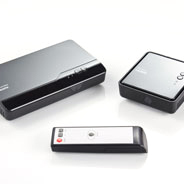
The Air SyncHD|DX

Documents

Download user manual

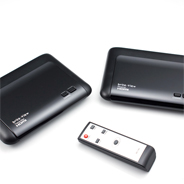
Air HD Support

Documents

FAQ

Troubleshooting and FAQ


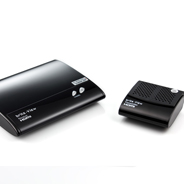
Air SyncHD Support

Documents

FAQ

Troubleshooting and FAQ


Air HD Support

Documents

  • Download user manual
  • Download quick installation guide
  • Download PLC Device Utility guide
  • Download quick PLC Device Utility
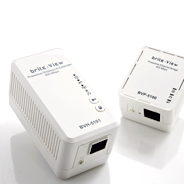
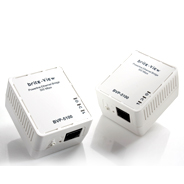
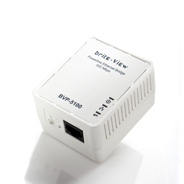
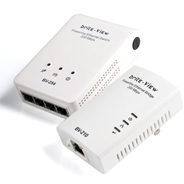
  • brite-View's "LinkE" Ethernet adapters (featuring INT6400 chipset) each has a "Group" button on the side. Press it to establish easy and secure communication with another "LinkE" powerline adapter; no "PLC Device Utility" installation is necessary.
  • The "PLC Device Utility" is only required when attempting to establish a secure communication between "LinkE" adapters and other Homeplug AV adapters (featuring the INT6300 and INT6000 chipsets) that do not have "Group" buttons.

Click here to fill out your product registration information.


Technology for your Modern Lifestyle

If you have questions about brite-View™ products or would like to contact us for product support, please email us at

Service Phone # 1-888-588-6885 (Mon - Fri from 9:00am to 6:00 pm PT)

Caution: All firmware available here is for the Americas only (default: NTSC).

New: CinemaTube, CinemaGo, CinemaTube Mini Firmware Upgrade Guide.